A Perplexity alternative that takes research all the way to editable files
Compare Vife as a Perplexity alternative when a cited answer is only the first step. Vife plans the task, researches sources and builds the slides, documents, spreadsheets and media you keep editing in one project.
Vife vs. Perplexity: research, files and pricing compared
Perplexity is an answer engine that now also sells Computer, an agent metered in credits. Vife is an agent workspace built around deliverables you keep editing. Compare where your work has to end, not only how the answer is found.
Published by Vife using Perplexity's pricing page and Help Center articles, read while logged out. It is a documented feature comparison, not a speed or quality benchmark. Details Perplexity does not publish are marked as not stated.
Vife vs. Perplexity: research, files and pricing compared
What to compare
Vife
Perplexity
Paid plans · monthly billing
Plus: US$12/month, billed monthly, with 3,000 monthly credits and 3 concurrent agent runs. Pro: US$30/month with 9,000 credits; Ultra: US$120/month with 40,000 credits.
Pro is US$20/month or US$200/year. Max is US$200/month or US$2,000/year and includes 10,000 Computer credits a month. The pricing page shows annual-equivalent prices only; the monthly prices come from Perplexity's Help Center.
Basic is US$0 with 40 one-time starter credits, no card required, and 1 concurrent agent. Browser automation, document/spreadsheet processing and premium media models require a paid plan.
Free includes 3 Pro Searches a day and 1 Research query a month. Pro has no monthly credit allocation; it includes weekly Computer usage that Perplexity says is rolling out gradually. The pricing page also lists 4,000 bonus credits on Pro and 35,000 on Max. Perplexity values 100 credits at US$1. Each uploaded file is limited to 40 MB, and the Notion connector requires Max or an Enterprise plan.
The research workflow starts from a bounded question and returns a cited report, an evidence table and a one-page recommendation. A research skill cross-checks many sources and adds numbered citations and a source list.
Answers from the web are Perplexity's core product, on every plan and limited on Free. Deep Research, on Pro and Max, searches, reads sources and writes a detailed report; on the web the report downloads as Markdown or exports to PDF or DOCX. How many searches it runs and how long it takes are not stated. Computer adds Wide Research with parallel web search.
Decks export as editable PowerPoint files, and a public sample proposal states that every element is native PowerPoint geometry. Public examples also show DOCX documents and XLSX spreadsheets. Document and spreadsheet processing requires a paid plan.
Perplexity creates DOCX, PDF, XLSX, PPTX and HTML files and can export documents, spreadsheets and presentations to Google Drive. Slide layouts or templates are not currently supported. Whether slide elements are editable shapes is not stated.
Vife has dedicated video, music and voice workflows, and premium image and video models on paid plans. The pricing page lists per-model credit estimates for images and clips.
Image generation is on Pro and up. Video uses Veo 3.1 on Pro and Max; the model cannot be chosen, and editing or iterating on a generated video is not supported. Audio or music generation is not stated; uploaded audio and video are transcribed.
Prices are USD list prices with monthly billing, checked on the date above, excluding temporary offers and taxes. A Vife credit and a Perplexity credit are different units, so Vife Plus's 3,000 monthly credits and Perplexity's credit value do not tell you which completes more work. Compare the total cost of one real task, including revisions.
Choose by where the work has to end
Consider Vife when the research has to become files you edit
Use it when cited findings must continue into a deck, a document, a spreadsheet or media in the same project, and when you expect several rounds of revision. Check which paid features your task needs before you start.
Consider Perplexity for fast answers from many web sources
Its answer engine and Deep Research suit questions you want answered with cited sources, and paid plans include Computer usage for multi-step tasks. Check the plan limits first: Pro has no monthly credits, and Notion requires Max.
Research-style examples with the files Vife made
Each prompt page shows the prompt and the file Vife made from it. None of them is a cited web-research report on a real topic: three use fictional or simulated data and the fourth is a general explainer. They show the file you get, not a matched test against Perplexity.
Reading Space | Observational Research Report
A three-page observational research report on a fictional community reading corner: research questions, a seven-day observation design, three simulated observations and a reusable record sheet, delivered as an editable DOCX.
A public-facing DOCX brief on surface runoff, permeable paving, rain gardens and detention spaces. It is written as a general explainer; the page does not present it as cited research.
An XLSX workbook with four sheets, 112 rows of fictional visitor data, formula-driven summaries and two charts, labelled “Simulated data · Not real visitors” on every sheet.
Use the same question, three public sources and a deadline. Ask for a cited two-page report, a five-slide deck and a spreadsheet of the evidence, then request one correction. Compare citation accuracy, whether each file opens and stays editable in your office apps, how much layout cleanup it needs and the final credits used. This is a suggested evaluation brief, not a completed benchmark.
Start with an example
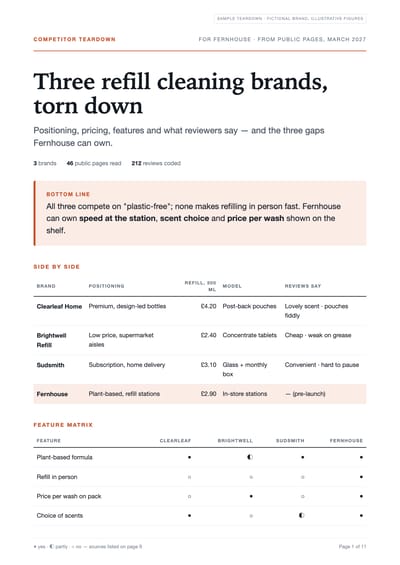
Fernhouse competitor teardown
Image
Lisbon and Sintra trip plan
Image
Refill stations social listening report
Image
Steel bottle supplier shortlist
Image
Start with a concrete task
Turn one research question into files you can edit
Ask for the report, the deck and the evidence table in one brief, then judge whether each file is ready to edit and share.
Example brief
Research [question] for [audience] using current public sources. Cite every material claim with its source and date, and mark anything you could not verify. Deliver a two-page DOCX report, a five-slide editable deck and an XLSX evidence table.
Vife turns goals into projects: the agent plans, uses tools, creates files, and keeps the working context attached.
Research that continues into the work
Vife plans the steps, gathers sources and keeps going until the report, deck or table is built, instead of stopping at an answer.
Editable files, not only answers
Ask for a PowerPoint deck, a DOCX document or an XLSX spreadsheet and keep revising it in the same project.
Media from the same brief
Turn the findings into images, video, voiceovers or music without leaving the project.
Your signed-in browser, when you allow it
With the Browser Companion extension on a paid plan, the Agent can work in signed-in Chrome tabs inside a dedicated Vife tab group.
Workflows Vife can take on
Vife is built for delegated work: planning, research, browser context, file creation, and follow-up edits in one place.
01
Research to report
Collect sources, compare findings and deliver a cited report you can edit.
02
Research to slides
Turn the findings into an editable deck with charts, then revise individual slides.
03
Research to a spreadsheet
Put the evidence into an XLSX table or model with formulas you can check.
04
Research to media
Use the findings to brief images, video or audio in the same project.
Frequently asked questions
Is Vife a Perplexity alternative for research with citations?
Yes, for research that has to end in a deliverable. Vife's research workflow returns a cited report, an evidence table and a one-page recommendation. If you mainly need fast answers from the web, Perplexity's answer engine and Deep Research are built for that.
Can a Perplexity alternative turn research into slides or an Excel file?
Vife can. Decks export as editable PowerPoint files, and public examples show DOCX documents and XLSX spreadsheets made from one prompt. Perplexity also creates PPTX, DOCX and XLSX files, but says slide layouts or templates are not currently supported.
Is Vife cheaper than Perplexity Pro or Max?
Vife Plus is US$12 a month with 3,000 credits, Pro US$30 and Ultra US$120. Perplexity Pro is US$20 a month and Max US$200, as checked on November 18, 2026. Credits are different units on each platform, so compare the cost of one real task, including revisions.
How does Vife compare with Perplexity Computer?
Perplexity Computer is an agent metered in credits, with Wide Research and parallel web search; Pro includes weekly Computer usage rather than monthly credits. Vife keeps research, slides, documents, spreadsheets and media in one project you keep editing, and can work in your signed-in Chrome tabs through its extension on paid plans.
Can Vife make videos or voiceovers from the research?
Yes. Vife has video, music and voice workflows, so the same project can carry the findings into a video or a voiceover. Perplexity generates video with Veo 3.1 on Pro and Max, does not support editing a generated video and does not state audio generation.