

Your photo, a new creative direction
AI photo editing with words: upload a photo, describe the scene or lighting you want, and generate a new variation. No manual selection tools required.
Generate your first image free
New accounts get 40 starter credits — enough for one ChatGPT Image 2 or Nano Banana 2 image at standard settings. No card required.
Image generation examples
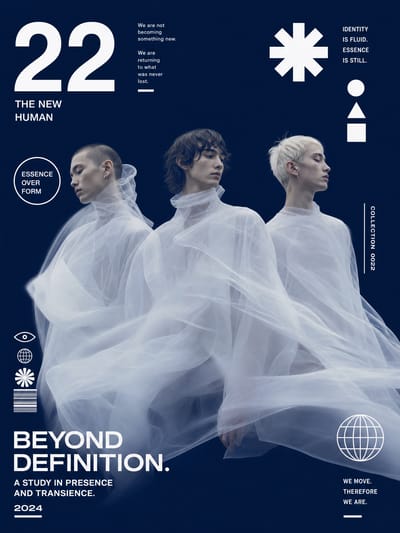
Futuristic Editorial Poster
Luminous Jellyfish Silhouette
Psychedelic Dragon in Flames
Cosmic Eye Macro
Pink Loop Sculpture Plaza
Luxury Fashion Boat Editorial
Bloom Magazine Cover
Acid Cyan Fashion Editorial
Neon Tiger Collage
Cyber Rainbow Portrait
Surreal Fashion Portrait
Harbor Magazine Cover
Editorial Floral Poster
Editorial Collage Poster
Soan Billboard Mockup
Dissolving Bear Silhouette
Whimsical Mixed-Media Street Scene
Anime Boy at Singapore Junction
Streetwear Mockup
Slit-Scan Editorial Poster
VIFE can make mistakes. Verify important information.
From your source photo to a reviewed result
Upload a photo and describe a new background, lighting or visual style. Generate photo variations with reference-capable AI models and review every detail.
1. Upload a photo you can use
Choose a clear product, lifestyle or portrait photo. Only upload images you own or have permission to use; get consent for photos of other people.
2. Describe one change
Specify a new setting, softer lighting or a photographic style. Say which subject details should remain, without expecting exact preservation.
3. Choose a model and format
Start with ChatGPT Image 2 or compare another reference-capable model. Choose a supported size and check the credit examples before generating.
4. Compare, refine and download
Check faces, labels, colors and edges against the original. Refine the instruction or try another model before downloading the result.
Frequently asked questions
Can I generate an image for free without a card?
New accounts get 40 starter credits — enough for one ChatGPT Image 2 or Nano Banana 2 image at standard settings. No card required.
How does Plus billing work?
Plus includes 3,000 credits per month. Choose yearly or monthly billing; your subscription starts after payment. Checkout confirms the full amount and renewal schedule. Starter credits are separate, and model costs vary.
What does this AI photo editor do?
Vife generates a new image guided by your uploaded photo and written instructions. Use it to explore a different setting, lighting, composition or style, then review the result against the original.
Is this a one-click background remover or retouching app?
No. This page is for generative photo variations, not transparent cutouts, precise pixel retouching, dedicated face restoration, mask editing or standalone upscaling.
Will it keep a face or product exactly the same?
No. Generative edits may change identity, proportions, lettering, logos and small details. Do not use them as proof of a real person's appearance or a product's exact features.
Can I use the edited photo for a business?
Check the selected model's terms and your rights to the source image, people, brands and final output. Vife does not guarantee non-infringement or exact product accuracy. Review before publishing.
How many photos can I edit with my credits?
There is no fixed photo count. Credits are shared across generations and costs vary by model, size, input and final usage. Start with one variation and check its usage before making more.