

Upload your product, then build the scene
Attach a clear product image, describe the background, lighting, camera angle, and format you need, then review the generated variations.
Image generation examples
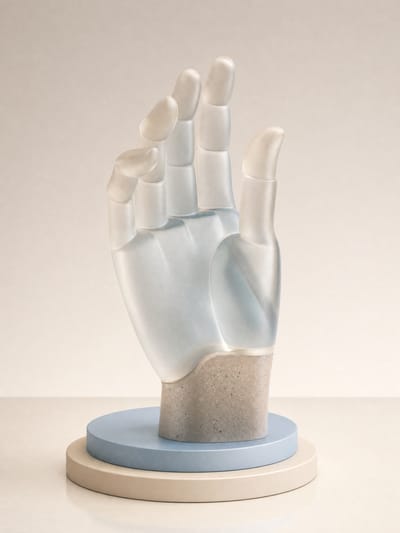
Premium Hand 3D Render
Butterfly Skincare Close-up
Studio Eyewear Portrait
Biomorphic Plastic Rings Editorial
Cinematic Perfume Bottle
Candid Street Crosswalk Portrait
Gummy Chainmail Fashion
SUNRAZE Sparkling Citrus Tonic
Botanica Lab Product Photography
Skincare Product Still Life
Premium Cosmetics Composition
Premium Phone Product Shot
Charcoal Stand-Up Pouch Photography
Modular Lab Device Render
Futuristic Lipstick Campaign
Electric Bloom Wellness Ad
Nocturna Rouge Fragrance Campaign
Metallic Perfume Bottle Still Life
Sakura Body Wash Bottles
Watch and Knit Sleeve
VIFE can make mistakes. Verify important information.
From a product reference to new campaign visuals
Upload a product image and generate studio, lifestyle, seasonal, or ad-scene variations with reference-capable AI image models.
Begin with a product reference
Attach a clear product image so a reference-capable model can use its visible shape, colors, packaging, and context as guidance.
Describe the shot you need
Prompt a simple studio setup, a lifestyle environment, a seasonal concept, or an ad scene, including the lighting and composition you want.
Compare models and formats
Try reference-capable image models and their supported square, portrait, or landscape sizes to find a useful direction for your channel.
Keep review in the workflow
Check product shape, packaging, labels, logos, colors, and other details before downloading or continuing the image into another Vife project.
Frequently asked questions
How do I create AI product photos in Vife?
Attach a clear product image, describe the desired scene and lighting, choose a model that accepts image input, and generate a new product-photo variation to review.
What product-photo scenes can I request?
You can request studio-style, lifestyle, seasonal, social-ad, or banner-oriented scenes. The result is generative, and its fidelity depends on the source image, prompt, and model.
Will AI preserve my packaging, label, and logo exactly?
Not necessarily. Generative models can alter text, logos, colors, proportions, and small packaging details. Compare the output with the real product and correct any mismatch before use.
Does this remove backgrounds or retouch the original pixels?
No. It generates a new image guided by your uploaded product photo. Vife does not currently provide a dedicated background-removal or pixel-retouching tool on this page.
Can I use the results for product listings or ads?
You may use generated output for lawful purposes under Vife's terms, but you are responsible for rights, accuracy, and channel requirements. Vife does not promise uniqueness or non-infringement.