Vife vs. Manus: features, pricing and practical limits
Both Vife and Manus support delegated research, browser work and creative deliverables. The useful comparison is how you run the task, which plan it needs and what you can inspect afterward.
Published by Vife. This comparison uses the official product pages, pricing screens and help documents linked below. It is a documented feature comparison, not a head-to-head speed or quality benchmark.
Vife vs. Manus: features, pricing and practical limits
What to compare
Vife
Manus
Paid plans · monthly billing
Plus: US$12/month, billed monthly, with 3,000 monthly credits and 3 concurrent agent runs. Pro: US$30/month with 9,000 credits; Ultra: US$120/month with 40,000 credits.
Pro starts at a regular US$20/month with 4,000 monthly credits. The US$40/month tier includes 8,000. The official plan guide lists 20 concurrent and 20 scheduled tasks for Pro. Account-specific promotions may lower the initial price.
Basic is US$0 with 40 one-time starter credits, no card required, and 1 concurrent agent. Browser automation, document/spreadsheet processing and premium media models require a paid plan.
Free includes 300 daily refresh credits, 1 concurrent task and 2 scheduled tasks. Agent Mode is limited to Manus 1.6 Lite; the Pro plan unlocks the other listed Agent models.
The companion extension lets the Agent work in signed-in Chrome tabs in a dedicated Vife tab group. It requires the extension, user-authorized browser access and a plan with browser automation.
Browser Operator also uses existing local logins through an extension. Its documentation recommends Chrome or Edge, requires authorization for each session and says the desktop browser must stay online. Manus also offers an isolated cloud browser.
The research and competitor-analysis workflows start with a bounded question, gather sources and produce a reviewable comparison or report. Ask for source URLs, dates and uncertainty alongside each material claim.
Wide Research splits a set of independent items across agents and combines the findings. The documentation includes product-comparison and researcher-database examples. It is a paid feature and is less suited to tasks whose steps depend on each other.
The product-URL workflow connects product research with a video brief, creative angles and media production. Review the product facts and production plan before generating the ad; model, duration and settings affect credits.
Manus also offers slide generation, professional website deployment and video generation. These capabilities are not exclusive to Vife. Check its current model and plan availability for the exact output you need.
Prices are the listed USD monthly subscription rates checked on the date above, excluding temporary offers and any checkout taxes. A Vife credit and a Manus credit are different usage units: 3,000 versus 4,000 does not tell you which completes more work. Compare the total cost of your own task, including revisions.
Which workflow fits your work?
Consider Vife for research that continues into creative production
Try its product-URL or launch-campaign workflow when the brief, supporting research, files and generated media need to stay together. Confirm the paid features and media estimate before running a full campaign.
Consider Manus for broad, independent research batches
Its documented Wide Research workflow and higher Pro concurrency are relevant when you need to compare many products or organizations. Check the underlying sources and whether each research item is actually independent.
Public examples you can check
These examples show their stated sources and scope. They are not matched tests, customer testimonials or evidence of a conversion lift.
Manus: comparing 100 sneaker models
Manus's Wide Research documentation links a public replay for a 100-product sneaker comparison. Inspect the research structure, source coverage and final table to judge whether that batch workflow suits your task. This is a vendor-published demonstration, not a test run by Vife.
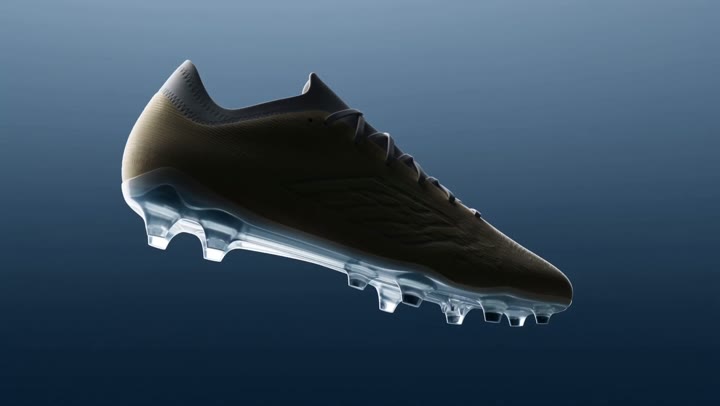
Vife's public gallery includes “Zero-Gravity Soccer Cleat”: a short product reveal with a rotating shoe, material close-ups and a reusable prompt. The original is Krea's public Seedance 2.5 example. This is a curated third-party reference, not a Vife-generated customer result. Use it to discuss camera movement, texture and the closing product shot before making your own ad.
Give each tool the same three public competitor URLs, region and deadline. Request a five-column comparison (audience, features, price, limitations, source/date), a one-page recommendation and one revision. Record the final credits charged, missing citations, factual corrections and how easily you can reuse the output. This is a suggested evaluation brief, not a completed benchmark.
Start with an example
Video
Glass Lip Balm Product Close-Up
Video
Perfume Unboxing ASMR
Video
The Chrome City
Video
LED Mask GRWM
Video
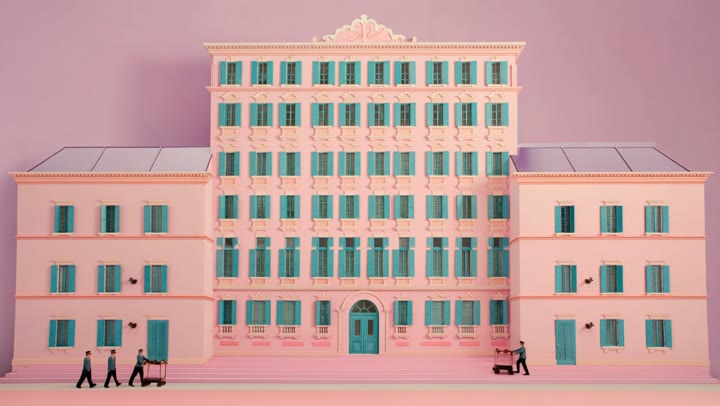
The Grand Pink Hotel
Video
A Quiet Morning in Pure Cotton
Video
The Ship Beneath Brooklyn Bridge
Video
Zero-Gravity Soccer Cleat
Video
Fire Dragon Over the Frozen Fjord
Video
Pizza Ingredients in Midair
Video
San Francisco Color Burst
Video
The Mahjong Noodle Ritual
Video
Versailles After Dark
Video
The Perfect Espresso Pour
Video
Blue Hour Warehouse Session
Video
Fire Wok
Video
The Glowing Mushroom Gardeners
Video
Inside the Golden Wave
Video
Balloons Above the Morning Fog
Video
Summer Bubbles in the Open Field
Video
When New York Traffic Floats
Video
Red Dress on the Edge
Video
Underwater Portrait in Motion
Video
Neon Rain Turn
Start with a concrete task
Compare agent work by the file it delivers
Use the same bounded brief in each tool, then compare source handling, review points, and whether the result stays editable.
Example brief
Create a one-page business brief from these approved notes and public sources. Include an executive summary, evidence links, risks, recommendations, and an editable follow-up plan. Mark missing information instead of filling it in.
Vife turns goals into projects: the agent plans, uses tools, creates files, and keeps the working context attached.
Agent-first workspace
Vife is organized around delegating a goal, planning the steps, using tools, and continuing from the generated output.
Browser companion path
Use Vife for browser-oriented work when a task needs local tab context, signed-in pages, and user control.
Deliverables beyond chat
Create presentations, documents, reports, images, videos, and audio assets inside one project flow.
Creator and operator workflows
Vife combines task execution with content production, making it useful for research, marketing, reporting, and asset creation.
Workflows Vife can take on
Vife is built for delegated work: planning, research, browser context, file creation, and follow-up edits in one place.
01
When you need browser work
Choose Vife for web tasks that should end in a clear summary, table, document, or next-step plan.
02
When you need slides or docs
Turn research or a rough prompt into editable presentations and documents without leaving the workspace.
03
When the task includes media
Use image, video, audio, and short-form creation as part of the same agent project.
04
When you want project continuity
Keep files, generated assets, and follow-up edits attached to the original conversation.
Frequently asked questions
Is Vife a Manus alternative?
Vife is an alternative for people comparing AI agent workspaces that can plan tasks, use tools, work with browser context, and produce editable deliverables.
How is Vife different from Manus?
Vife focuses on an agent workspace that combines browser-oriented tasks with slides, documents, reports, and media creation in one flow.
Can Vife handle browser tasks?
Vife includes a Browser Companion path for user-authorized browser workflows where local tab context matters.
Can Vife create presentations and documents?
Yes. Vife has dedicated presentation and document workflows that can start from a prompt, research brief, or project goal.
Should I use Vife or Manus?
Use Vife if your agent workflow should end in editable files, creative assets, reports, slides, or ongoing project work inside one workspace.