
Design
Color Palette
VifeUpdated Nov 8, 2026
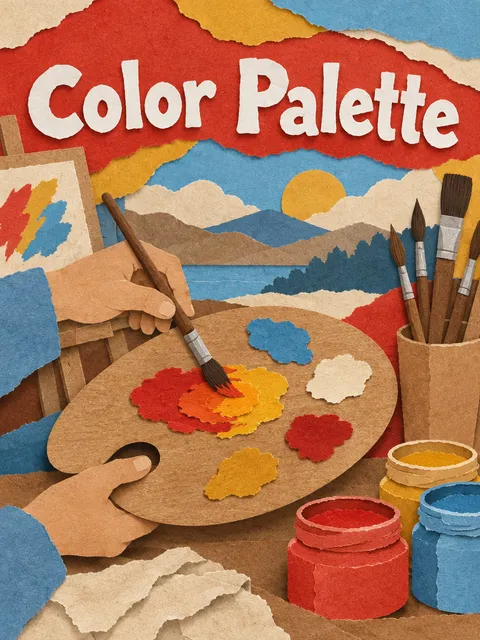
Turn a seed colour, logo, photo or mood into an accessible palette with tints, shades, light and dark themes and ready-to-use tokens.
Try it
- Build an accessible palette from our brand colour
- Pull a colour palette from this photo of our café and make it usable for a website
- 我想要一套“安静、高级”感觉的配色,给我色板和对比度检查
Details
- Publisher
- VIFE official
- Runtime
- Runs in a cloud sandbox
- Last updated
- Nov 8, 2026
Related skills
- PresentationPlan, design and export polished, editable slide decks from an idea, an outline or a document.VifeDesign+1
28 used
- Landing Page BuilderBuild a polished, responsive single-file landing page with real copy, accessible markup and meta tags, previewed at desktop and mobile sizes.VifeDesign+1
0 used
- Brand Identity KitDefine a brand's positioning, voice, colours, type and logo, and package them as a guidelines PDF with ready-to-use design tokens.VifeDesign+1
0 used
- Accessibility AuditAudit a website against WCAG 2.2 AA with browser checks, keyboard and focus walks and manual review, then deliver findings with selectors and fixes.VifeCoding+1
0 used
- Batch Image CreationYou can generate many images in a single run instead of one at a time — from a list of prompts, a variant matrix (such as SKU, color, style, pose, background or aspect ratio), or one concept expanded across systematic variations. The skill keeps every non-varying parameter fixed, builds a numbered table with one row per image, generates and verifies each result, and names files deterministically so they sort in batch order. You get back the image folder plus a manifest listing each id, prompt, varying attribute, parameters, filename and status, along with a summary of successes, retries and any failures.Media+2
5 used
- Improve Codebase ArchitectureScan your codebase for architectural friction and get a visual HTML report of deepening opportunities: refactors that turn shallow modules into deep ones for better testability and AI-navigability. The scan prioritises recently changed hot spots (or a direction you name), reads your glossary and ADRs, and explores where understanding one concept means bouncing between many small modules. Each candidate card shows the files involved, the problem, the proposed solution, benefits in terms of locality and leverage, a before/after diagram, and a recommendation strength, ending with a top recommendation. Pick one and the agent walks the decision tree with you.
 mattpocockCoding+1
318.2k stars
- Throwaway PrototypingYou get a quick, throwaway prototype built to answer one design question. If you're unsure whether a state model or piece of logic feels right, you get a single shareable HTML file with free-play buttons and tabbed guided walkthroughs that pushes the state machine through tricky cases. If you're exploring what a UI should look like, you get several radically different variations on one route, switchable via a URL param and a floating bottom bar. Prototypes are clearly marked, trivial to run, and skip polish so you can learn fast.mattpocockCoding+1
318.2k stars
- Teach Me SomethingYou get a personal teacher that builds a learning workspace in your current directory and teaches you a topic over multiple sessions. It captures your reason for learning in a mission file, tracks what you've learned in learning records, gathers trusted resources, and produces short, beautiful HTML lessons with interactive quizzes and feedback loops. It also creates printable reference documents and glossaries, and points you to communities where you can practice in the real world.mattpocockContent+2
318.2k stars