

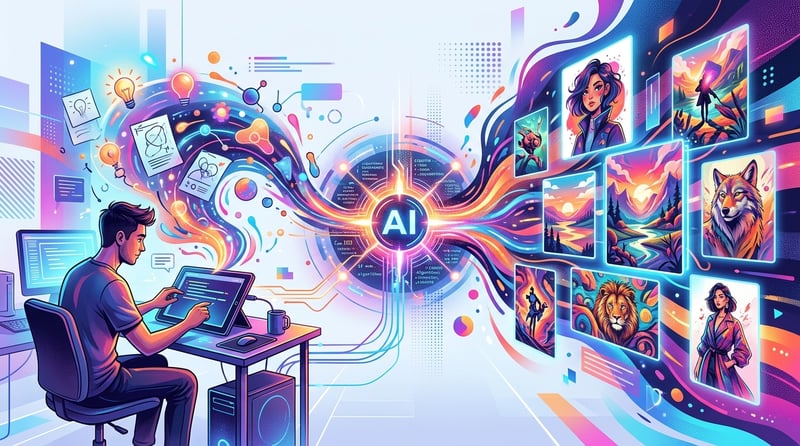
AI Illustration: From Concept to Creation with AI Generators
Make this article actionable
Send the article context into Vife Agent and turn it into a plan, checklist, or draft you can keep working on.
'''
The Ultimate Guide to AI Illustration: From Concept to Creation
Artificial intelligence is no longer a futuristic concept—it's a practical tool revolutionizing creative fields, and illustration is no exception. Whether you're a seasoned artist looking to accelerate your workflow, a marketer needing visuals on the fly, or an aspiring author dreaming of illustrating a children's book, AI illustration generators have opened up a new frontier of creative possibility. But navigating this rapidly evolving landscape can be overwhelming. Which tools are best? How do you get high-quality, consistent results? And how do you move from a simple text prompt to a finished, usable illustration?
This guide is designed to cut through the hype and provide a practical, action-oriented roadmap. We'll explore the different types of AI illustration, from whimsical storybook images to clean vector graphics, and provide concrete workflows you can start using today. We'll cover the nuances of crafting effective prompts, compare the capabilities of leading models like Midjourney and Stable Diffusion, and show you how to bring it all together in a unified creation workspace.
Quick Answers for Busy Creators
- What is an AI Illustration Generator? An AI illustration generator is a tool that uses artificial intelligence, typically a diffusion model, to create images from text descriptions (prompts). Users can specify styles, subjects, colors, and compositions to generate unique illustrations.
- Can AI create children's book illustrations? Yes. AI is exceptionally good at creating illustrations for children's books. By defining a specific style and using character consistency techniques, you can generate a full suite of illustrations for a narrative.
- Can AI create vector illustrations? Yes, though it's an emerging capability. Some AI models can now generate scalable vector graphics (SVGs) or high-resolution raster images that can be effectively converted to vectors, perfect for logos, icons, and user interfaces.
- Which AI models are best for illustration? Models like Midjourney, Stable Diffusion, and DALL-E 3 are top contenders, each with unique strengths. Midjourney is known for its artistic and stylized output, while Stable Diffusion offers deep customization through fine-tuning. Vife integrates these leading models, allowing you to choose the best one for your specific project within a single interface.
Turn the useful parts into next steps
Vife Agent can convert this guide into a prioritized workflow with tasks, risks, and reusable prompts.
Understanding AI Illustration: More Than Just a Pretty Picture
At its core, AI illustration is a partnership between human creativity and machine execution. You provide the concept, the style, and the emotional direction; the AI handles the complex task of rendering that vision into pixels or vectors. This process is powered by generative models trained on vast datasets of images and text.
Think of it less as a vending machine for images and more as an incredibly fast, endlessly versatile junior artist. It can mimic a specific artist's style ("in the style of Mary Blair"), combine disparate concepts ("a cyberpunk astronaut riding a horse on Mars"), and produce variations on a theme at a speed no human could match. The quality of the output, however, depends entirely on the quality of your input and your ability to guide the tool.
Key Concepts in AI Illustration:
- Prompts: The text descriptions you feed the AI. A great prompt is specific, descriptive, and layered with detail about the subject, style, medium, and composition.
- Models: The underlying AI engines that generate the images. Flux, Midjourney, and Stable Diffusion are some of the most powerful and popular models for illustration.
- Parameters: Settings that control the generation process, such as aspect ratio, stylization level, and "chaos" (how much the AI should deviate from the prompt).
- Inpainting & Outpainting: Advanced techniques for editing generated images. Inpainting allows you to regenerate a specific part of an image, while outpainting extends the image beyond its original borders.
Understanding these fundamentals is the first step toward moving from a passive user to an active creator who can harness AI to produce professional-grade illustrations.
The Workflow: A 5-Step Framework for Quality AI Illustrations
Generating a single, eye-catching image is easy. Creating a series of cohesive, high-quality illustrations that fit a specific brief is a different challenge. It requires a structured workflow.
Step 1: Define Your Creative Brief
Before you write a single prompt, define your project's goals. A vague idea leads to vague results. Your brief should be a North Star for the entire project.
- Objective: What is the purpose of this illustration? (e.g., a spot illustration for a blog post, a key visual for an ad campaign, a page in a children's book).
- Audience: Who are you trying to reach? (e.g., young children, tech professionals, fashion consumers).
- Core Subject: What is the primary focus of the image? (e.g., a child planting a tree, a team collaborating on a dashboard).
- Style & Mood: What is the desired aesthetic? Collect reference images. Use keywords like
whimsical,corporate,minimalist,retro,watercolor,line art. - Color Palette: Are there specific brand colors or a desired color scheme? (e.g.,
warm and earthy,vibrant neon,monochromatic blue).
Step 2: Engineer Your Master Prompt
Your "master prompt" is a detailed template that forms the foundation for all illustrations in the project. This is crucial for maintaining consistency.
Example Master Prompt Structure:
[Subject Description], [Style Keywords], [Composition & Framing], [Lighting & Color], [Technical Details]
Applied Example (for a children's book):
A small, curious fox with a fluffy tail and bright blue scarf, simple character design for a children's book, in the style of gentle watercolor and ink, soft pastel color palette, full body shot, centered on a white background, clean lines, high detail.
Step 3: Generate and Iterate
Now, the fun begins. Start with your master prompt and generate your first batch of images. Expect to iterate. The first output is rarely the final one.
- Generate Variations: Use the same prompt to create multiple options. Look for the one that best captures the essence of your brief.
- Refine the Prompt: Is the fox too realistic? Add
cartoon styleorsimplified shapes. Is the background too busy? Addminimalist background. Small tweaks can lead to big changes. - Use Image-to-Image: Once you have a base image you like, you can use it as a reference for future generations (often called
img2img). This helps maintain character and style consistency.
Step 4: Curate and Refine
Not every generation will be a winner. Curation is key. Select the strongest images and look for ways to improve them.
- Inpainting: Is there a weird-looking hand or an extra leg? Use inpainting to select that specific area and have the AI regenerate it.
- Outpainting: Does the composition feel too tight? Use outpainting to expand the canvas and generate more of the scene.
- External Editing: For final touches, bring your illustration into a traditional editor like Adobe Photoshop or Affinity Photo to adjust colors, combine elements, or add text.
Step 5: Assemble and Finalize
Organize your curated illustrations. If you're creating a series, ensure they look cohesive when placed side-by-side. Check for consistent lighting, color, and character details. This is where a unified workspace becomes invaluable, allowing you to see all your assets together.
Deep Dive: AI for Children's Book Illustration
Creating illustrations for a children's book is a perfect use case for AI, but it comes with unique challenges, primarily character consistency. You can't have your main character looking different on every page.
Workflow for Consistent Characters:
- Character Sheet Generation: Your first task is to create a definitive character sheet. Use a highly detailed prompt to generate your main character in a neutral pose from multiple angles.
- Prompt Example:
Character sheet for a children's book, a friendly robot named Gizmo, round body, long arms, single large eye, standing pose, front view, side view, back view, simple flat illustration style, white background, digital art.
- Prompt Example:
- Lock in a Seed: Many AI tools allow you to use a "seed" number. A seed is a starting point for the randomization process. Using the same seed with the same prompt will produce a very similar image. Find a seed that generates a character you like and reuse it.
- Use Character Reference Images: Once you have your main character design, use that image as a strong reference point for all subsequent prompts. In Vife and other advanced tools, you can upload a reference image and instruct the AI to maintain its style and character features.
- Prompt for Scenes: Now, combine your character reference with scene descriptions.
- Prompt Example (with image reference):
Gizmo the robot is planting a flower in a sunny garden, surrounded by buzzing bees, gentle watercolor style, vibrant colors.
- Prompt Example (with image reference):
Common Mistakes to Avoid:
- Overly Complex Prompts: Don't try to describe the entire story in one prompt. Focus on one scene, one action, one emotion at a time.
- Ignoring the Gutter: Remember that a book has a center fold (the gutter). Avoid placing important details in the middle of a two-page spread.
- Inconsistent Style: A common pitfall. This is why a master prompt and style reference are non-negotiable.
Deep Dive: AI for Vector Illustration
Vector illustrations are graphics made of paths, not pixels. This means they can be scaled to any size without losing quality, making them essential for logos, icons, and UI elements. While AI traditionally generates raster (pixel-based) images, the technology for creating true vectors is rapidly advancing.
AI Vector Generation: Two Main Approaches
| Approach | How It Works | Best For | Pros | Cons |
|---|---|---|---|---|
1. Direct SVG Generation | Some models or tools can generate Scalable Vector Graphics (SVG) files directly from a prompt. | Icons, simple logos, abstract shapes. | Truly scalable, clean output, ready to use. | Newer technology, can struggle with complex scenes or photorealism. |
2. Raster-to-Vector Conversion | Generate a high-resolution raster image with clean lines and flat colors, then use an autotrace tool (like Adobe Illustrator's Image Trace or a free online converter) to turn it into a vector. | Complex illustrations, character designs, spot illustrations. | More versatile style options, leverages powerful raster models. | Requires an extra step, tracing may need manual cleanup. |
Workflow for High-Quality Vector Output (Raster-to-Vector):
- Prompt for Vector-Like Qualities: Even when generating a raster image, prompt for the style of a vector illustration. Use keywords that guide the AI toward a clean, traceable output.
- Essential Keywords:
vector illustration,flat design,2D,minimalist,clean lines,solid colors,no gradients,graphic logo,icon. - Prompt Example:
Vector logo of a stylized eagle head, minimalist, geometric shapes, single color navy blue, white background, sharp edges.
- Essential Keywords:
- Generate at High Resolution: The higher the resolution of your source image, the better the trace will be. Generate your image at the highest possible resolution.
- Choose the Right Image: Select the generation with the clearest lines, most defined shapes, and least amount of "fuzzy" detail or complex textures.
- Use a Vector Tracing Tool: Import your image into a tool with a vector tracing feature.
- In Adobe Illustrator: Use
Window > Image Traceand experiment with presets like "Logo," "Line Art," or "3 Colors." - Online Converters: Search for "free image to SVG converter" for simple, one-off jobs.
- In Adobe Illustrator: Use
- Clean Up the Vector: The automated trace is rarely perfect. You will likely need to go in and simplify paths, smooth curves, and remove stray anchor points. This final manual step is what separates amateur work from professional results.
Make It With Vife
Theory is great, but putting it into practice is what matters. Vife is an AI creation workspace designed to streamline this entire process, from initial idea to finished asset. It integrates top-tier models like Midjourney, Stable Diffusion, and Kling into a single, cohesive environment.
Here’s how you could create a multi-asset campaign for a fictional eco-friendly coffee brand, "TerraBrew," using Vife:
- The Single Prompt: Start with a central idea in Vife:
"A minimalist, eco-friendly coffee brand called TerraBrew. The visual style is earthy and inspired by nature, using watercolor and line art. The main icon is a coffee bean sprouting a small leaf." - Generate Brand Illustrations: From that prompt, navigate to the image generation tool. Vife lets you choose your model. For TerraBrew's artistic style, you might select Midjourney. Use a detailed prompt to create a set of brand illustrations:
Watercolor illustration of a coffee cup with a leaf sprouting from it, earthy tones, minimalist, on a textured paper background, for a coffee brand.Line art pattern of coffee beans and leaves, seamless, for packaging design.
- Create a Vector Logo: Switch gears to create a logo. You need a clean, scalable vector. Use a prompt geared for this output, perhaps using a model like Stable Diffusion known for its graphic capabilities.
Minimalist vector logo of a coffee bean with a single leaf sprouting from the top, flat design, single color, on a white background.- Generate a high-resolution raster image and use a connected tool or export it for vectorization.
- Produce a Promotional Video: Now, bring the brand to life with video. Use the same core prompt to switch to the video generator, powered by models like Sora or Veo.
An animated video showing a coffee bean sprouting a leaf, which then morphs into a steaming cup of coffee. The style is gentle watercolor animation. Upbeat, natural background music.
- Draft a Blog Post: Need to announce the brand? Switch to the document generator.
Write a blog post announcing the launch of TerraBrew, a new sustainable coffee brand. Focus on the connection to nature, the quality of the beans, and the eco-friendly packaging.
In Vife, all these assets—illustrations, logos, videos, and documents—are generated from the same core idea and are available in one workspace. You can easily ensure the watercolor style from your illustrations carries over to the gentle watercolor animation in your video, creating a perfectly cohesive brand campaign without juggling a dozen different tools and subscriptions.
Checklist for Production-Ready AI Illustrations
Before you hit "publish" or send to print, run your final illustrations through this quality checklist:
- Conceptual Fit: Does the image clearly and accurately represent the core idea of your brief?
- Stylistic Consistency: If part of a series, does it match the others in style, color, and mood?
- Composition and Framing: Is the subject well-composed? Is the framing effective? Is there a clear focal point?
- Anatomical & Logical Accuracy: Check for common AI artifacts: weird hands, extra limbs, distorted faces, or objects that defy physics. Use inpainting to correct these.
- Technical Resolution: Is the image high-resolution enough for its intended use (e.g., 300 DPI for print, 72/96 DPI for web)?
- Color Accuracy: Do the colors match your brand palette? Do they render correctly across different devices?
- No Unintended Details: Zoom in and scan the image for any bizarre or out-of-place elements in the background or texture.
- Usage Rights: Have you checked the terms of service for the AI tool you used? Understand who owns the generated image and how you can use it commercially.
Conclusion: Your New Creative Partner
AI illustration generators are not a replacement for human creativity; they are a powerful amplifier for it. By moving beyond simple prompting and adopting a structured, professional workflow, you can unlock a new level of speed, versatility, and creative power. The key is to act as the creative director—setting the vision, curating the output, and making the final refinements.
Whether you're illustrating a world for a children's story, designing a clean vector logo for a new brand, or generating a suite of visuals for a marketing campaign, these tools provide an unprecedented opportunity to bring your ideas to life. The gap between concept and creation has never been smaller.
Ready to move from research to reality? Start creating in Vife and experience how a single prompt can become a complete, multi-format creative campaign.
AI Illustration FAQ
1. Is it legal to use AI-generated illustrations for commercial projects? This is a complex and evolving area. Generally, the terms of service of the AI provider dictate commercial usage rights. Many platforms, including those integrated within Vife, grant users broad commercial rights to the images they create. However, copyright law in some jurisdictions (like the US) does not currently grant copyright protection to purely AI-generated works. It's crucial to check the specific policies of your tool and consult legal advice for high-stakes projects.
2. How do I avoid my illustrations looking "generic" or "like AI"?
The best way is through specificity and style-blending. Don't just ask for "a cat." Ask for "a fluffy ginger Maine Coon cat napping in a sunbeam, detailed digital painting with visible brushstrokes." Combine styles (in the style of art nouveau and cyberpunk), reference specific artists, and use your own post-production edits to add a unique human touch.
3. What is the best AI model for illustration? There's no single "best" model, as each excels in different areas.
- Midjourney: Often praised for its artistic, opinionated, and aesthetically pleasing results right out of the box.
- Stable Diffusion: Highly customizable and open-source, making it a favorite for those who want to fine-tune models and have granular control.
- DALL-E 3: Known for its strong prompt adherence and ability to render text and logos with surprising accuracy.
A platform like Vife is valuable because it gives you access to multiple models, so you can pick the right one for the job without needing separate accounts.
4. How much does AI illustration cost? Costs vary widely. Most services operate on a subscription model, offering a certain number of "credits" or "generations" per month. Prices can range from $10/month for a basic plan to $100+/month for heavy-duty professional use. Some platforms may offer a limited number of free generations to get started.
5. Can AI replicate my personal art style? Yes, this is possible through a process called "fine-tuning" or "LoRA" (Low-Rank Adaptation). This involves training a model on a small dataset of your own artwork. Once trained, the model can generate new images in your unique style. This is an advanced technique but is becoming more accessible on platforms geared toward customization. '''