

Convierte una URL de producto en un anuncio de vídeo editable
Pega una página pública de producto —incluida una de Shopify— o la ficha de una aplicación. Vife extrae un briefing revisable, presenta tres enfoques publicitarios y convierte el que apruebes en un vídeo vertical editable de 15 segundos.
Empieza con una URL de producto de ejemplo

Primer plano de un bálsamo labial en tubo de vidrio

Una mañana tranquila en algodón puro
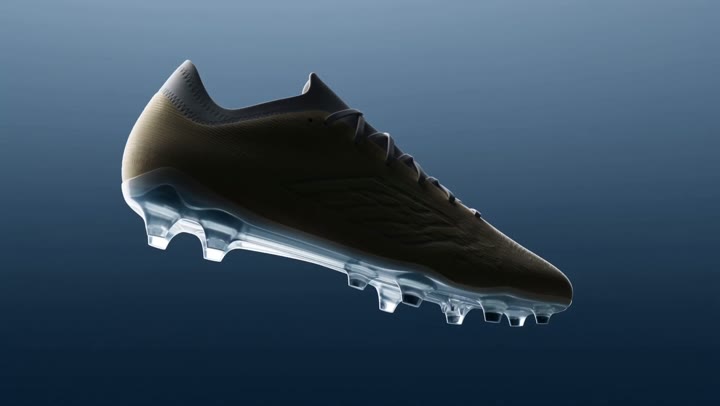
Bota de fútbol en gravedad cero

Ingredientes de pizza suspendidos en el aire

El vertido perfecto del espresso
VIFE puede cometer errores. Verifica la información importante.
Qué ocurre después de pegar una URL de producto
Pega una página pública de producto —incluida una de Shopify— o la ficha de una aplicación. Vife extrae un briefing revisable, presenta tres enfoques publicitarios y convierte el que apruebes en un vídeo vertical editable de 15 segundos.
1. Revisa el briefing del producto
Vife extrae el nombre del producto o la aplicación, la descripción, el precio u oferta visibles, las funciones y afirmaciones publicadas, y las imágenes o contenidos candidatos. Tú corriges cualquier dato ausente o incorrecto.
2. Compara tres enfoques publicitarios
Compara tres enfoques realmente diferentes. Cada uno incluye un gancho, un esquema de guion, una dirección visual, una prueba y una llamada a la acción. Elige uno o pide a Vife que lo revise.
3. Aprueba el plan de producción
Revisa el guion, el plan de planos, la dirección visual, la voz en off, los subtítulos y la llamada a la acción antes de iniciar la generación de imágenes, vídeo o audio.
4. Edita el primer vídeo
El primer resultado es un anuncio de producto 9:16 de 15 segundos con una línea de tiempo editable. Continúa en el Agent para solicitar otra relación de aspecto, duración, idioma o estilo creativo.
Preguntas frecuentes
¿Qué URL debo pegar?
Empieza con una página pública de producto, un producto de Shopify, una página de producto de una marca o una ficha de Apple App Store o Google Play. Vife también puede inspeccionar muchos enlaces públicos de contenido cuando aportan contexto de origen. Las páginas que exigen inicio de sesión, los CAPTCHA, el DRM, el bloqueo geográfico, las URL firmadas caducadas y las restricciones de la plataforma pueden impedir la extracción.
¿Qué ocurre después de pegar la URL?
Vife lee la fuente y muestra los datos extraídos del producto para que los corrijas o apruebes. Después presenta tres enfoques publicitarios y un plan de producción para una segunda revisión antes de generar imágenes, vídeo o audio.
¿Cómo mantiene Vife fundamentadas las afirmaciones sobre el producto?
Vife separa los datos respaldados por la fuente, el posicionamiento inferido y la información que falta, en lugar de tratar cada idea como un hecho. Apruebas o corriges el briefing antes de la producción y debes seguir verificando los precios, ofertas, especificaciones y afirmaciones importantes.
¿Qué incluye el primer vídeo?
El primer resultado predeterminado es un anuncio vertical de producto aprobado de 15 segundos con planos del producto, voz en off, subtítulos, texto de beneficios editable, una llamada a la acción y una línea de tiempo editable.
¿Puedo crear otros tamaños, duraciones, idiomas o versiones UGC?
Después de aprobar la primera versión, pide al Agent una versión 1:1 o 16:9, otra duración o idioma, otra llamada a la acción o una versión independiente de estilo UGC. Cada versión adicional puede requerir otra revisión del plan y créditos de generación.
¿Puede Vife reutilizar imágenes o vídeos de la página?
Vife puede identificar imágenes o contenidos públicos candidatos, pero el acceso público no demuestra que exista permiso de copyright o uso publicitario. Reutiliza únicamente recursos de tu propiedad o para los que tengas autorización.
¿Cuándo se utilizan los créditos de generación?
La generación de imágenes, vídeo y audio solo comienza después de que apruebes los datos del producto y el plan de producción. El uso de créditos depende entonces de los modelos seleccionados, la duración y el número de versiones.
¿Vife publica en mi cuenta publicitaria?
No. Este flujo crea y edita el briefing, los guiones, los contenidos y la línea de tiempo del vídeo. La publicación y los cambios en la cuenta publicitaria permanecen bajo tu control.