

Transforme a URL de um produto em um anúncio em vídeo editável
Cole uma página pública de produto — inclusive da Shopify — ou a página de um aplicativo. A Vife extrai um briefing revisável, apresenta três abordagens de anúncio e transforma a opção aprovada em um vídeo vertical editável de 15 segundos.
Comece com um URL de produto de exemplo

Close de hidratante labial em tubo de vidro

Uma manhã tranquila em algodão puro
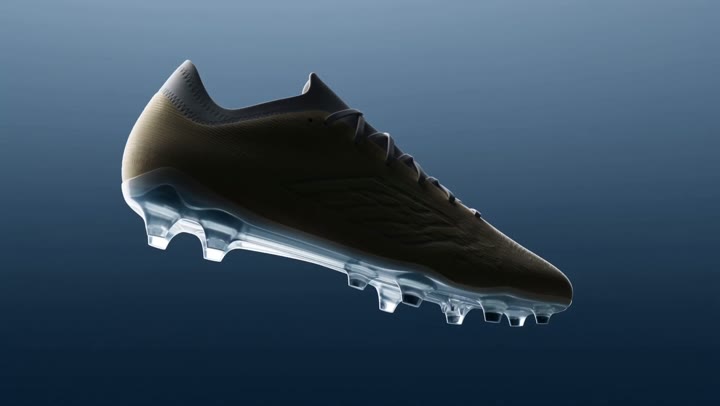
Chuteira em gravidade zero

Ingredientes de pizza no ar

Um espresso servido à perfeição
VIFE pode cometer erros. Verifique informações importantes.
O que acontece depois que você cola a URL de um produto
Cole uma página pública de produto — inclusive da Shopify — ou a página de um aplicativo. A Vife extrai um briefing revisável, apresenta três abordagens de anúncio e transforma a opção aprovada em um vídeo vertical editável de 15 segundos.
1. Revise o briefing do produto
A Vife extrai o nome do produto ou aplicativo, a descrição, o preço ou a oferta visível, os recursos e afirmações apresentados na página e possíveis imagens ou mídias. Você corrige qualquer informação ausente ou incorreta.
2. Compare três abordagens de anúncio
Compare três abordagens realmente diferentes. Cada uma inclui gancho, estrutura do roteiro, direção visual, prova e CTA. Escolha uma ou peça à Vife que a revise.
3. Aprove o plano de produção
Revise o roteiro, o plano de cenas, a direção visual, a locução, as legendas e o CTA antes do início da geração de imagens, vídeo ou áudio.
4. Edite o primeiro vídeo
A primeira saída é um anúncio de produto de 15 segundos em 9:16, com linha do tempo editável. Continue no Agent para solicitar outra proporção, duração, idioma ou estilo criativo.
Perguntas frequentes
Que URL devo colar?
Comece com uma página pública de produto, um produto da Shopify, uma página de produto da marca ou uma página da Apple App Store ou do Google Play. A Vife também pode analisar muitos links públicos de mídia quando eles fornecem contexto de origem. Páginas que exigem login, CAPTCHA, DRM, bloqueio geográfico, URLs assinadas expiradas e restrições da plataforma ainda podem impedir a extração.
O que acontece depois que eu colo a URL?
A Vife lê a fonte e mostra os dados extraídos do produto para você corrigir ou aprovar. Depois, apresenta três abordagens de anúncio e um plano de produção para uma segunda revisão antes de gerar imagens, vídeo ou áudio.
Como a Vife mantém as afirmações sobre o produto fundamentadas?
A Vife separa fatos comprovados pela fonte, posicionamentos inferidos e informações ausentes, em vez de tratar toda ideia como fato. Você aprova ou corrige o briefing antes da produção e ainda deve conferir preços, ofertas, especificações e afirmações importantes.
O que o primeiro vídeo inclui?
A primeira saída padrão é um anúncio vertical de produto aprovado, com 15 segundos, cenas do produto, locução, legendas, texto editável de benefícios, um CTA e uma linha do tempo editável.
Posso criar outros tamanhos, durações, idiomas ou versões UGC?
Após aprovar o primeiro corte, peça ao Agent uma versão 1:1 ou 16:9, outra duração ou idioma, outro CTA ou uma versão separada no estilo UGC. Cada versão adicional pode exigir uma nova revisão do plano e créditos de geração.
A Vife pode reutilizar imagens ou vídeos da página?
A Vife pode identificar possíveis imagens ou mídias públicas, mas o acesso público não comprova direitos autorais nem permissão para publicidade. Reutilize apenas recursos que sejam seus ou para os quais você tenha autorização.
Quando os créditos de geração são usados?
A geração de imagens, vídeo e áudio só começa depois que você aprova os dados do produto e o plano de produção. O uso de créditos passa a depender dos modelos escolhidos, da duração e do número de versões.
A Vife publica na minha conta de anúncios?
Não. Esse fluxo cria e edita o briefing, os roteiros, as mídias e a linha do tempo do vídeo. A publicação e as alterações na conta de anúncios permanecem sob seu controle.